No version for distro crystal. Known supported distros are highlighted in the buttons above.
No version for distro bouncy. Known supported distros are highlighted in the buttons above.
No version for distro melodic. Known supported distros are highlighted in the buttons above.
No version for distro lunar. Known supported distros are highlighted in the buttons above.
No version for distro kinetic. Known supported distros are highlighted in the buttons above.
No version for distro indigo. Known supported distros are highlighted in the buttons above.
No version for distro ardent. Known supported distros are highlighted in the buttons above.
No version for distro jade. Known supported distros are highlighted in the buttons above.
Repository Summary
| Checkout URI | https://github.com/pal-robotics/pal_vision_segmentation.git |
| VCS Type | git |
| VCS Version | hydro-devel |
| Last Updated | 2014-11-12 |
| Dev Status | MAINTAINED |
| Released | RELEASED |
Packages
| Name | Version |
|---|---|
| pal_vision_segmentation | 1.0.0 |
README
=========
Software package providing segmentation nodes based on various techniques. Masked image or mask is provided, and can be tuned via dynamic_reconfigure. More information can be found in http://wiki.ros.org/pal_vision_segmentation.
Segmentation based on color histogram
Hereafter an example based on images recorded in a rosbag is presented.
Play the rosbag
Play the rosbag provided as example in pal_vision_segmentation:
rosbag play `rospack find pal_vision_segmentation`/etc/pringles.bag --loop
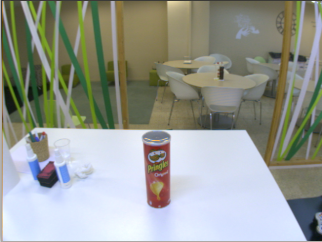
which publishes images of a pringles pot:
Object template
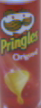
In order to segment the pringles pot based on its color an image template like the following one is required:
histogram_segmentation node
Launch the 'histogram_segmentation' node as follows so that the appropriate object template is used:
rosrun pal_vision_segmentation histogram_segmentation `rospack find pal_vision_segmentation`/etc/pringles_template.png image:=/stereo/left/image _dilate_iterations:=5 _erode_iterations:=1
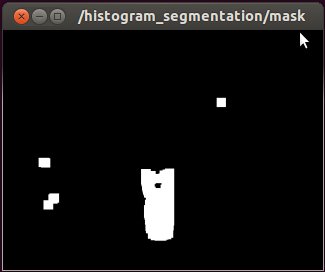
Visualize the segmentation mask
rosrun image_view image_view image:=/histogram_segmentation/mask
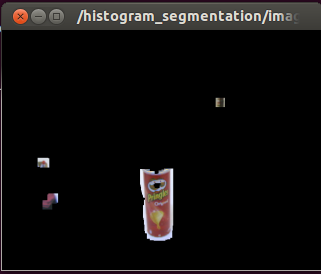
Visualize the segmented image:
rosrun image_view image_view image:=/histogram_segmentation/image_masked