
|
rqt_joint_trajectory_plot package from rqt_joint_trajectory_plot reporqt_joint_trajectory_plot |
Package Summary
| Tags | No category tags. |
| Version | 0.0.4 |
| License | MIT |
| Build type | CATKIN |
| Use | RECOMMENDED |
Repository Summary
| Checkout URI | https://github.com/tork-a/rqt_joint_trajectory_plot.git |
| VCS Type | git |
| VCS Version | master |
| Last Updated | 2018-06-13 |
| Dev Status | DEVELOPED |
| Released | RELEASED |
Package Description
Additional Links
Maintainers
- Tokyo Opensource Robotics Kyokai (TORK) Developer Team
Authors
- Ryosuke Tajima
rqt_joint_trajectory_plot
To start up
Run rqt as:
$ rqt
Choose the 'Plugins'->'Visualization'->'JointTrajectoryPlot'
If you don't have any node to publish JointTrajectory, start dummy publisher as:
$ roslaunch rqt_joint_trajectory_plot generator.launch
To select topic
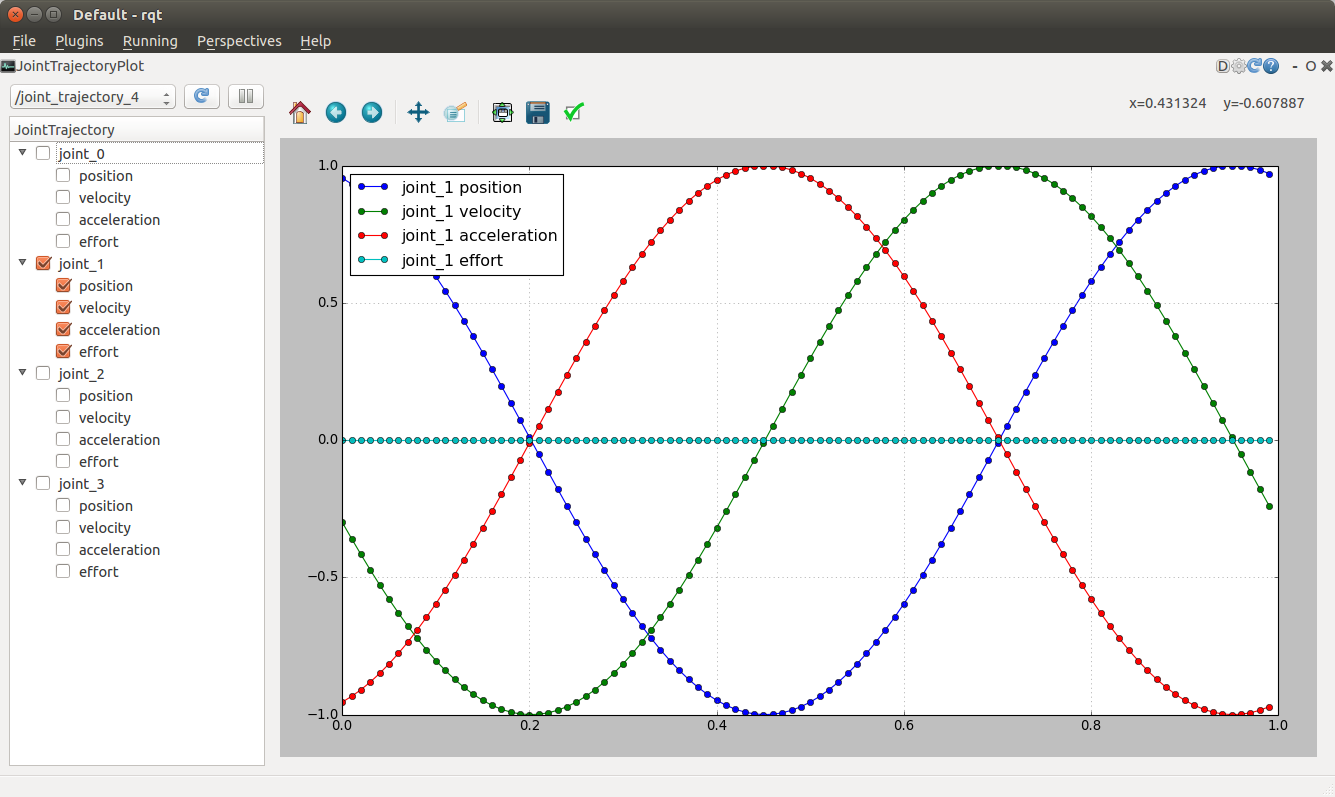
Chooese the topic name from the pulldown menu. The menu has the topic of trajectory_msgs/JointTrajectory type. If you don't see target topic, push the reload button to refresh the topic list.
When you choose the topic, the plugin subscribe the target topic and ready to draw the curve in the plot area.
To select curve to plot
Click the checkbox of the target joint name. You can choose the curve of poistion, velocity, acceleration, and effort.
Beware the plugin redraws the graph each time when the new message arrived. If you want to stop the data update, push pause button.
Could not convert RST to MD: No such file or directory - pandoc
Wiki Tutorials
Source Tutorials
Launch files
Messages
Services
Plugins
Recent questions tagged rqt_joint_trajectory_plot at answers.ros.org
|
|
rqt_joint_trajectory_plot package from rqt_joint_trajectory_plot reporqt_joint_trajectory_plot |
Package Summary
| Tags | No category tags. |
| Version | 0.0.4 |
| License | MIT |
| Build type | CATKIN |
| Use | RECOMMENDED |
Repository Summary
| Checkout URI | https://github.com/tork-a/rqt_joint_trajectory_plot.git |
| VCS Type | git |
| VCS Version | master |
| Last Updated | 2018-06-13 |
| Dev Status | DEVELOPED |
| Released | RELEASED |
Package Description
Additional Links
Maintainers
- Tokyo Opensource Robotics Kyokai (TORK) Developer Team
Authors
- Ryosuke Tajima
rqt_joint_trajectory_plot
To start up
Run rqt as:
$ rqt
Choose the 'Plugins'->'Visualization'->'JointTrajectoryPlot'
If you don't have any node to publish JointTrajectory, start dummy publisher as:
$ roslaunch rqt_joint_trajectory_plot generator.launch
To select topic
Chooese the topic name from the pulldown menu. The menu has the topic of trajectory_msgs/JointTrajectory type. If you don't see target topic, push the reload button to refresh the topic list.
When you choose the topic, the plugin subscribe the target topic and ready to draw the curve in the plot area.
To select curve to plot
Click the checkbox of the target joint name. You can choose the curve of poistion, velocity, acceleration, and effort.
Beware the plugin redraws the graph each time when the new message arrived. If you want to stop the data update, push pause button.
Could not convert RST to MD: No such file or directory - pandoc