
Package Summary
| Tags | No category tags. |
| Version | 0.0.4 |
| License | MIT |
| Build type | CATKIN |
| Use | RECOMMENDED |
Repository Summary
| Checkout URI | https://github.com/tue-robotics/image_recognition.git |
| VCS Type | git |
| VCS Version | master |
| Last Updated | 2019-04-06 |
| Dev Status | DEVELOPED |
| Released | RELEASED |
Package Description
Additional Links
Maintainers
- Rein Appeldoorn
Authors
image_recognition_rqt
Contains rqt plugins for image recognition
Test plugin
RQT plugin to test servers that expose the interface defined in package: image_recognition_msgs
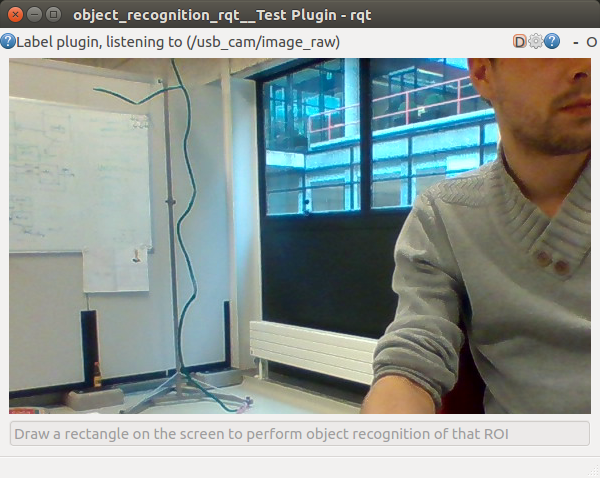
How to
Start the rqt plugin stand alone (if this does not work, try a rqt --force-rediscover):
rosrun image_recognition_rqt test_gui # Calls a rqt -s image_recognition_rqt.test.TestPlugin
Select a rostopic of type sensor_msgs/Image and a service of type image_recognition_msgs/Recognize or image_recognition_msgs/GetFaceProperties with use of the configuration button in the menu-bar (gear wheel icon):
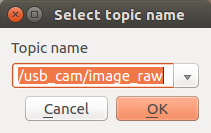
If you do not have any available topic, try to use your webcam with use of the usb_cam node (http://wiki.ros.org/usb_cam), you can start this node with:
rosrun usb_cam usb_cam_node # This step is optional ofcourse
Once you have an image stream in your GUI, you can draw a rectangle in the image feed, this ROI will be send to the object recognition srv.
See https://github.com/tue-robotics/image_recognition_openface for an example on faces.
Annotation plugin
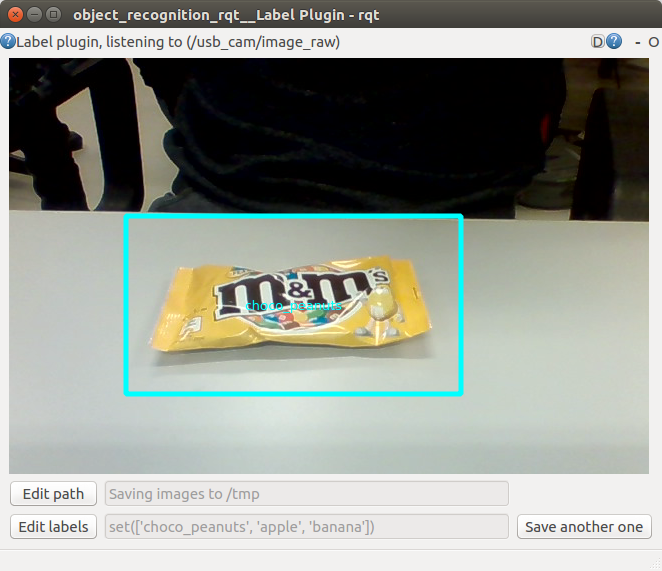
This RQT plugin (http://wiki.ros.org/rqt) enables easy labeling of objects using a graphical GUI. The end result will be a folder with label subdirs that contain image segments of the specified label, e.g. /tmp/object_recognition:
/tmp/object_recognition/:
drwxrwxr-x 2 rein rein 4,0K okt 18 21:22 apple
drwxrwxr-x 2 rein rein 4,0K okt 18 21:22 banana
drwxrwxr-x 2 rein rein 4,0K okt 18 21:22 choco_peanuts

/tmp/object_recognition/apple:
-rw-rw-r-- 1 rein rein 14K okt 18 21:22 2016-10-18-21-22-29.jpg
...

/tmp/object_recognition/banana:
-rw-rw-r-- 1 rein rein 16K okt 18 21:22 2016-10-18-21-22-37.jpg
...

/tmp/object_recognition/choco_peanuts:
-rw-rw-r-- 1 rein rein 8,6K okt 18 21:22 2016-10-18-21-22-43.jpg
...
This folder can be used for training for example a neural network. A Tensorflow example can be found here: https://github.com/tensorflow/tensorflow/blob/master/tensorflow/examples/image_retraining/retrain.py
This plugin can also be used to test / use the Annotate.srv, see https://github.com/tue-robotics/image_recognition_openface
How to
Start the rqt plugin stand alone (if this does not work, try a rqt --force-rediscover):
rosrun image_recognition_rqt annotation_gui # Calls a rqt -s image_recognition_rqt.annotation.AnnotationPlugin
Select a rostopic of type sensor_msgs/Image with use of the configuration button in the menu-bar (gear wheel icon):
If you do not have any available topic, try to use your webcam with use of the usb_cam node (http://wiki.ros.org/usb_cam), you can start this node with:
rosrun usb_cam usb_cam_node # This step is optional ofcourse
You could also use the Folder image publisher plugin to publish images directly from a folder.
Once you have an image stream in your GUI, you can set the labels of your different objects with use of the 'Edit labels' button in the bottom-left corner:
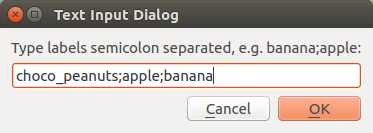
It is also possible to specify your output path with use of the 'Edit path' button in the bottom-left corner:
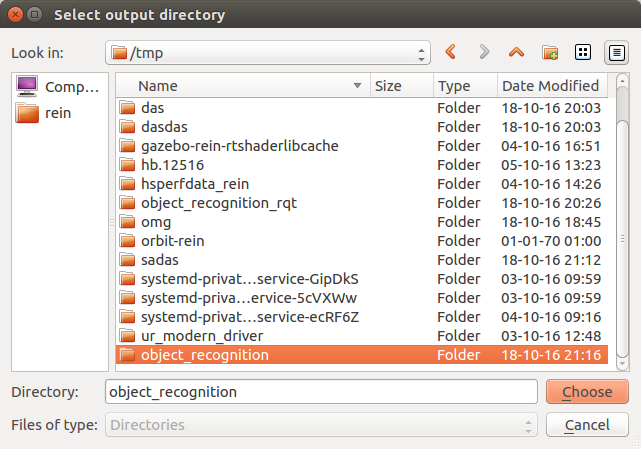
All these settings will be stored in the rqt config. Once you have set everything up, you can start labeling by drawing a rectangle in the image stream:
A dialog will prompt that lets you select your object label and an image will be stored in the specified directory. If you want to capture more images for your object, just click the 'Save another one' button. If you want to save an image of a new object, redraw a rectangle and repeat the process.
Happy labeling :)
Manual plugin
Plugin for manually responding to a service call for classification
Folder image publisher
Plugin for publishing image from a folder via a topic. This tool can be used in combination with the annotation plugin.
Could not convert RST to MD: No such file or directory - pandoc
Wiki Tutorials
Source Tutorials
Package Dependencies
| Deps | Name | |
|---|---|---|
| 1 | catkin | |
| 1 | image_recognition_msgs | |
| 1 | image_recognition_util | |
| 2 | rospy | |
| 1 | rqt_gui | |
| 1 | rqt_gui_py |
System Dependencies
| Name |
|---|
| python-catkin-lint |
Dependant Packages
| Name | Repo | Deps |
|---|---|---|
| image_recognition | github-tue-robotics-image_recognition |